Minesweeper Pro
Mindware Consulting, IncPuzzle
4.7790.00 Reviews
- Version
- 1.3.13
- Installs
- 1.00M
- Age Rating
- Everyone
Screenshots
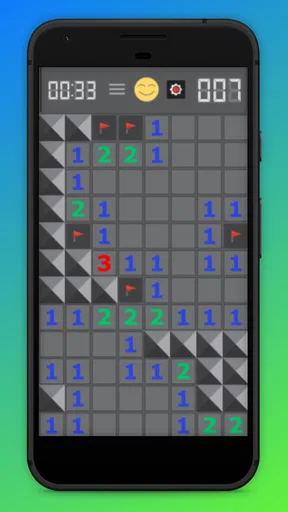
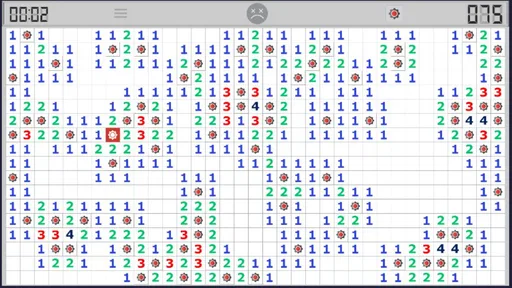
Our Review of Minesweeper Pro
 Analysis by Appyee
I like Minesweeper because it turns a few bits of information into a steady chain of decisions: reveal a square, read the numbers, and decide what is safe. Minesweeper Pro keeps that familiar puzzle at the center, so it suits a short break as well as a longer session when I want something that rewards careful thought rather than quick reactions.
A sensible way to begin each board
My most reliable routine is to pause after every reveal and read the numbers as clues, not as instructions to tap faster. A number tells me how many mines touch that square, including diagonally. I look at the surrounding covered cells, compare clues that overlap, and only mark a mine when the evidence supports it. That small habit prevents a common mistake: treating a plausible guess as a certainty.
On a new board, I start with a square that feels comfortable, then let the resulting clues guide my next move. When several numbered squares share the same covered neighbors, I compare what each one requires. If one clue has only one covered neighbor left and still needs one mine, that cell is resolved; if it needs none, the remaining neighbors are safe. This kind of comparison is more useful than scanning the entire grid randomly.
The game’s familiar rules make it easy to pick up, but a clean solve still depends on patience. I try not to flag every suspicious square immediately. A flag is useful as a reminder, yet marking too early can make me overlook a safer reveal elsewhere. In a quick session, I would rather keep a clear mental distinction between confirmed mines and uncertain cells than clutter my reasoning with guesses.
Settings that change the feel of a session
The ability to adjust grid size and mine count is more than a difficulty switch. It lets me choose a board that fits the time and attention I have. A smaller, less crowded setup is a sensible warm-up when I have only a few minutes; a denser board asks for more sustained comparison and is better when I can concentrate without interruptions. I would change one setting at a time when learning, so I can tell whether the extra challenge comes from board size or mine density.
The themes are a welcome comfort option, but I would choose one for clarity before choosing it for novelty. On a phone, readable squares and distinct visual states matter more than a striking background. If I find myself squinting or losing track of which cells I have opened, a simpler appearance is the practical choice. The best theme is the one that lets me keep my attention on the clues.
Hints are most useful when I treat them as a nudge rather than a routine shortcut. If I have stared at a board and cannot see a safe deduction, a hint can help me resume play. But using one as soon as a decision feels uncomfortable can weaken the part of the game I enjoy most: working out why a move is safe. I would save hints for a genuine stall, then study the surrounding clues before tapping so the help becomes a lesson rather than just an escape.
How I build speed without rushing
Experienced play is less about tapping quickly than about reducing repeated work. I scan from a cluster of opened numbers to its shared edges, looking for cells whose status follows from more than one clue. When a region is settled, I move on instead of checking the same numbers again. That repeatable habit keeps a board manageable, especially when many clues are visible at once.
I also separate deduction from action. First I decide which cells are certainly safe or certainly mined; then I make the corresponding taps or flags. Switching back and forth after every single clue can make me lose the thread. If I reach a point where the remaining options genuinely cannot be distinguished from the visible clues, I stop and reassess rather than dressing up a guess as logic. Some boards demand a risk, and knowing that is part of playing honestly.
For a commute or a waiting room, I prefer a difficulty I can comfortably resume after looking away. Minesweeper is easy to interrupt in principle, but returning to a board after a conversation or a stop can break concentration. Before putting the phone down, I take a moment to note the unresolved area and what its neighboring clues imply. That simple checkpoint makes a short session less likely to end in a careless tap when I pick it back up.
Where this version fits among puzzle choices
Compared with a word puzzle, this is a more visual and spatial kind of break: I am tracking relationships between nearby cells rather than searching for vocabulary. Compared with a match-style puzzle, the appeal is less about chaining moves and more about proving that a move is safe. If you enjoy logic grids or deduction games, the satisfaction comes from seeing several small clues lock together. If you want a story, constant novelty, or a game that forgives rapid experimentation, another puzzle style will probably suit you better.
For someone who already knows classic Minesweeper, adjustable difficulty and themes make this version easier to fit to personal taste. For a newcomer, the basic rules are approachable, but the game does not remove the need to reason carefully. I would recommend beginning with a forgiving setup and increasing the challenge only when the clues feel readable. If you dislike losing progress to a mistaken reveal, the tension inherent in mine-avoidance may be a drawback rather than a thrill.
What to expect before installing
Mindware Consulting, Inc. makes this puzzle game, which has an average rating of 4.7 from around 20,000 ratings and more than a million installs. Its content rating is Everyone, and it costs $1.49. The current version is 1.3.11, it was released on October 15, 2017, and it requires Android 8.0 or later. Those details make it a paid choice rather than a free trial by default, so I would decide based on whether I expect to return to this particular style of logic puzzle.
A practical question is whether it works for a five-minute break or asks for a long commitment. In my view, the adjustable board makes short play possible, while tougher configurations reward a quieter stretch of attention. Another useful question is whether hints make it too easy: they can soften a frustrating pause, but the challenge remains if you use them sparingly. The game is best for someone who wants control over how demanding a familiar puzzle feels, not for someone seeking a stream of new mechanics.
I would also distinguish it from a basic web version or a casual puzzle bundle. A simple alternative may be enough if all you want is an occasional classic board with no concern for presentation or tuning. This app makes more sense if you value changing the grid and mine count, choosing a visual style, and keeping a dedicated Minesweeper game handy. Those preferences are personal; paying for a focused puzzle is worthwhile only if you expect to play it repeatedly.
A classic that rewards a repeatable method
Overall, Minesweeper Pro is a straightforward option for players who enjoy deduction and want a familiar board they can tune to their mood. I like that its central appeal does not depend on a complicated set of systems: the interest comes from reading clues well, managing uncertainty, and deciding when a hint is actually useful. Its limits are equally clear. It will not suit anyone who finds mine-based risk stressful, wants a narrative or social layer, or prefers every move to be reversible.
For my own sessions, I would begin with a comfortable board, keep flags for confirmed mines, and reserve hints for moments when I have genuinely exhausted the visible deductions. That approach makes the game feel less like a guessing contest and more like the compact logic exercise it is. If that sounds satisfying, this is an easy puzzle to return to; if you need constant variety, I would look elsewhere.
Have you ever found yourself in need of a quick mental challenge or a nostalgic throwback to the early days of computer games? If so, let me introduce you to Minesweeper Pro. This app has managed to capture the essence of the classic Minesweeper game while adding a few modern twists to keep things interesting. Let’s dive into what makes this app a must-have for puzzle aficionados and casual gamers alike.
Rediscovering a Classic
For those of you who remember fiddling with Minesweeper on your old PC, it will feel like a warm hug from your childhood. It’s amazing how a simple grid of squares can be so captivating! The app stays true to the original game mechanics: uncover squares and avoid the hidden mines. But don’t let its simplicity fool you; this game is all about strategy and logic.
What’s refreshing is how intuitive the interface is. The developers have done a fantastic job of maintaining the straightforward approach that made Minesweeper a household name. Whether you’re a seasoned player or a newbie, you’ll find yourself easily navigating through the game’s features.
Features That Stand Out
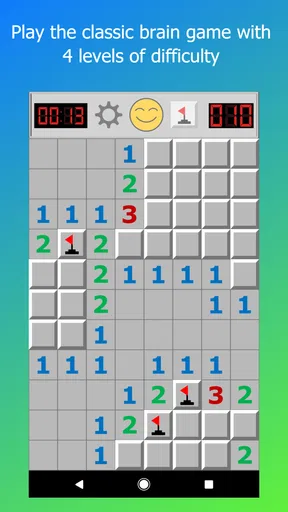
One of the standout features is its customizable difficulty settings. You can tweak the grid size and the number of mines, making it as challenging or as relaxed as you prefer. It’s a great way to gradually hone your skills and push your limits.
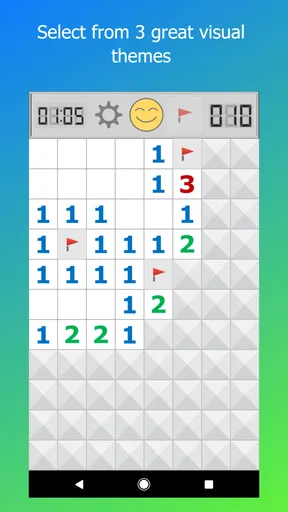
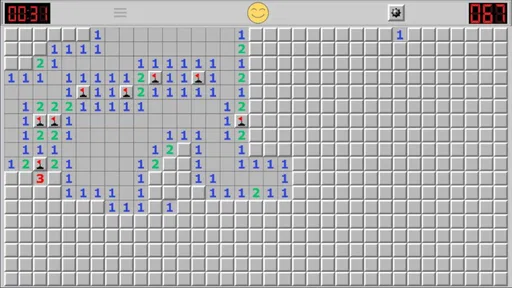
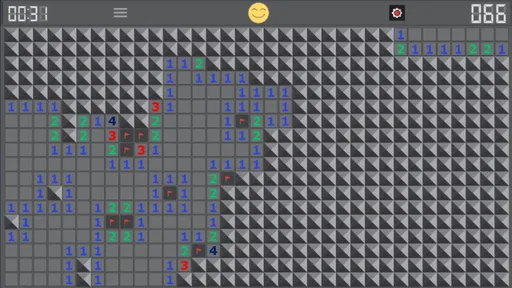
The app also offers a variety of themes. From classic to modern aesthetics, you can personalize the look of your game according to your mood or preference. This feature might seem minor, but it adds a layer of personalization that enhances the overall gaming experience.
Another nifty feature is the hint system. If you’re ever stuck, just tap for a hint. It’s a lifesaver when you’re on the brink of frustration, but it’s balanced enough not to make the game too easy. The goal is still to challenge yourself, after all!
Performance and User Experience
Running smoothly on both Android and iOS, the game is optimized for performance. I didn’t encounter any lag or crashes during my playtime, which is crucial for keeping the momentum going, especially when you’re deep in thought.
The touch controls are responsive, ensuring that accidental taps don’t lead to dreaded mine explosions. The app’s design is sleek, yet functional, focusing on enhancing the gaming experience without overwhelming you with unnecessary features.
Why You Should Try It
So why give it a shot? Well, aside from the fact that it’s a great way to pass the time, it’s also a brain workout. Solving puzzles and formulating strategies can improve your problem-solving skills and keep your mind sharp. Plus, there’s something incredibly satisfying about clearing a minefield. It’s the little victories that count!
Final Thoughts
In conclusion, this is a delightful blend of nostalgia and modern gaming. It’s a testament to how timeless good game design can be. Whether you’re seeking to relive those old-school vibes or simply looking for a new puzzle to master, this app should definitely be on your radar.
Ready to take on the challenge? You can find it available for download on both Android and iOS platforms. Happy mine sweeping!
Verdict
Strengths of Minesweeper Pro
- Intuitive interface for easy navigation.
- Multiple difficulty levels for all players.
- Customizable themes enhance visual appeal.
- No ads in the paid version.
- Offline play available.
Limitations of Minesweeper Pro
- Limited tutorial for beginners.
- No multiplayer or social features.
- Occasional lag on older devices.
- Paid version lacks frequent updates.
- No hints or help options available.
Similar Picks in This Category
View All
Block Blast!
HungryStudio4.8

Braindom: Brain Games Test
Lahana Game Studio4.6

AMAZE!
CrazyLabs LTD4.6

Sudoku - Classic Sudoku Puzzle
Oakever Games4.7

Art Puzzle - Puzzle Games
Easybrain4.8

Amaze GO!
Oakever Games4.9
Frequently Asked Questions
What features does Minesweeper Pro offer?
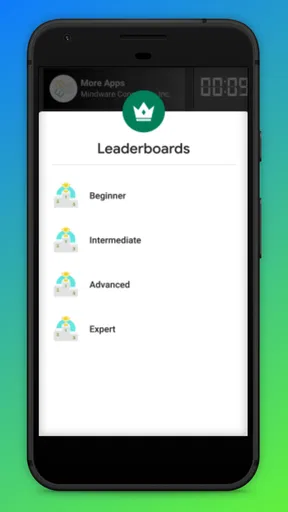
Minesweeper Pro elevates the classic game with enhanced features such as customizable difficulty levels, a sleek and intuitive user interface, and a hint system to assist when you're stuck. The game also includes a global leaderboard to compete with players worldwide, and an undo feature for correcting mistakes.
Is Minesweeper Pro suitable for beginners?
Yes, Minesweeper Pro is designed to be accessible for all skill levels. Beginners can start with the easy mode, which features smaller grids and fewer mines, while advanced players can tackle larger, more challenging grids. The app also offers a helpful tutorial to guide new players through the basics.
Does Minesweeper Pro require an internet connection?
Minesweeper Pro does not require an internet connection for gameplay, making it perfect for offline play. However, to access global leaderboards and update scores, you’ll need to connect to the internet. Offline play ensures you can enjoy the game anytime, anywhere, without data usage.
Are there in-app purchases in Minesweeper Pro?
While Minesweeper Pro offers a full experience without mandatory purchases, there are optional in-app purchases available. These can enhance gameplay by removing ads, unlocking additional themes, or providing extra hints. These purchases are entirely optional and not necessary to enjoy the core game.
How does Minesweeper Pro handle user data and privacy?
Minesweeper Pro takes user privacy seriously, adhering to strict data protection guidelines. The app collects minimal user data, primarily for functionality and improving user experience. Any data shared is encrypted and securely stored. Users can review the privacy policy within the app for detailed information on data handling.
Play our best games!


